Python Libraries for DevOps

JSON In Python
In Python, JSON (JavaScript Object Notation) is a popular data format used for exchanging data between a server and a web application, or between different systems. It provides a lightweight and human-readable way of representing structured data.
The json module in Python provides functions for working with JSON data. Here's a brief overview of how you can use JSON in Python
- Importing the
jsonmodule:
import json
Converting JSON to Python objects:
The
jsonmodule provides thejson.loads()function to parse a JSON string and convert it into a corresponding Python object,typically a dictionary or a list.
json_data = '{"name": "John", "age": 30, "city": "New York"}'
python_data = json.loads(json_data)
print(python_data)
this will be the output,
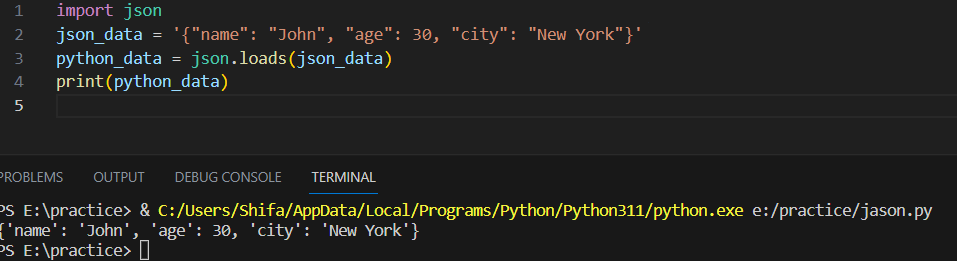
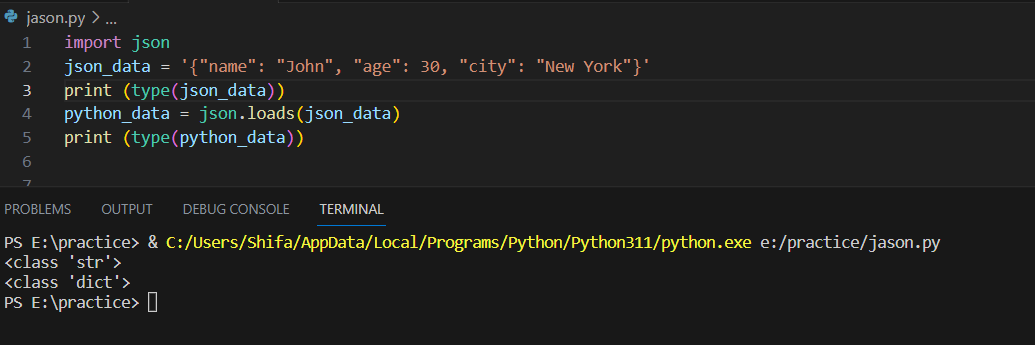
- If you want to know, how conversion is happening, just add type() function
here on the same code, type() is added, do see the output for the same.
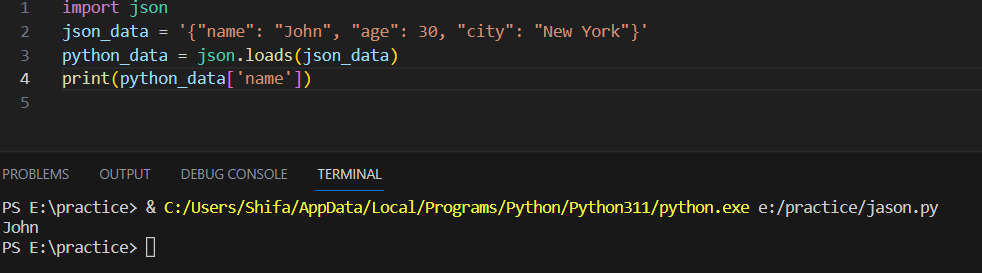
- if you want to print one particular key value :
Converting Python objects to JSON:
  python_data = {'name': 'John', 'age': 30, 'city': 'New York'}
  json_data = json.dumps(python_data)
  print(json_data)
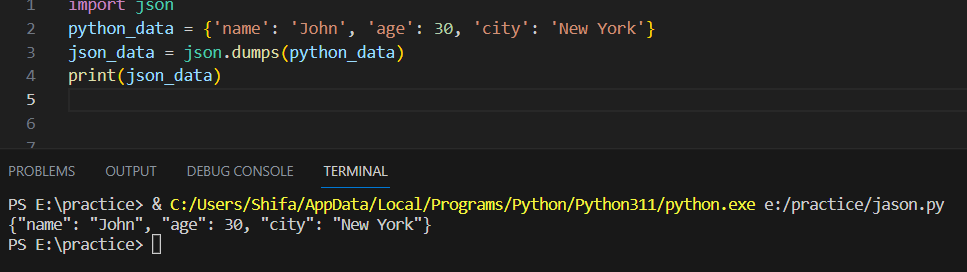
By adding type()function
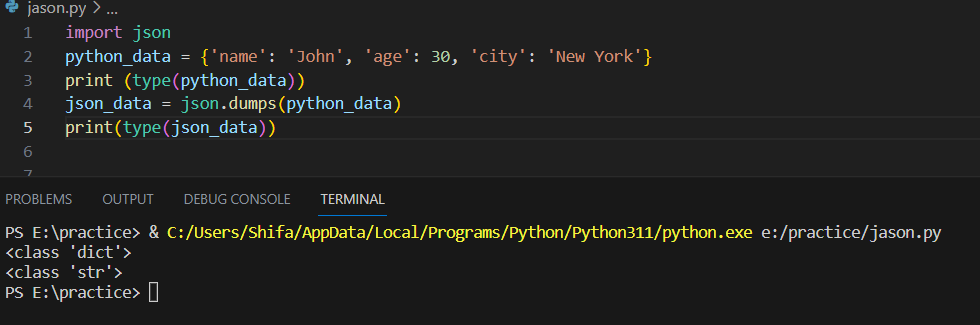
YAML in Python.
In Python, YAML (YAML Ain't Markup Language) is a popular data serialization format that is often used for configuration files and data exchange between different programming languages. The pyyaml library allows you to work with YAML in Python.
To use YAML in Python, you need to install the pyyaml package. You can install it using pip:
pip install pyyaml
\Note: pyyaml installation took me a long time I was getting errors on pip because my Python was not installed properly, go to the official website download it, choose to customize the installation, and check all the options, especially adding a variable path so that there will be no error in pip.\
- Importing the
yamlmodule:
import yaml
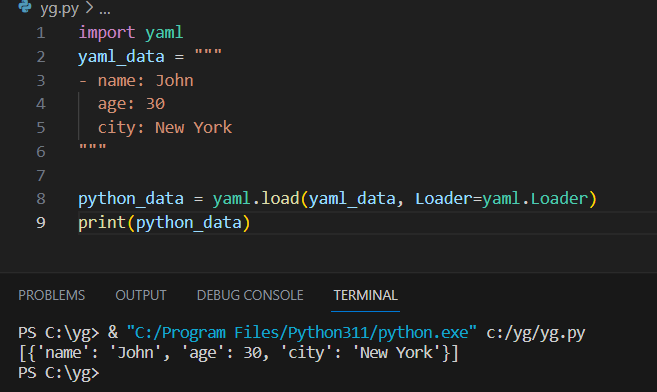
- Loading YAML data: The
yaml.load()function is used to parse a YAML string and convert it into a corresponding Python object.
yaml_data = """
- name: John
  age: 30
  city: New York
"""

python_data = yaml.load(yaml_data, Loader=yaml.Loader)
print(python_data)
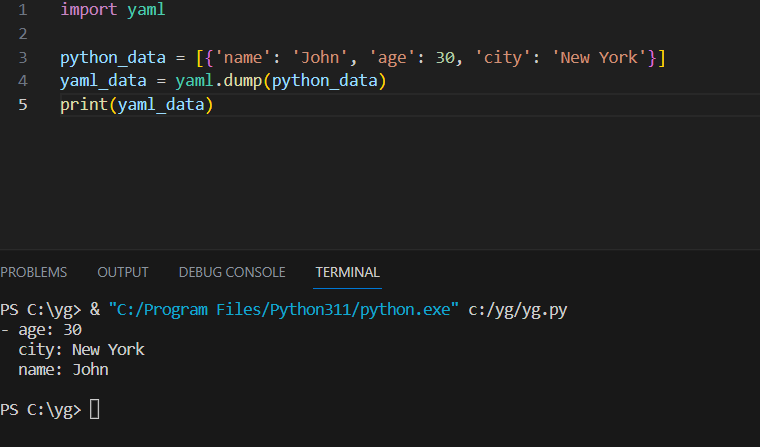
- Dumping Python objects to YAML: The
yaml.dump()function is used to convert Python objects to a YAML string.
python_data = [{'name': 'John', 'age': 30, 'city': 'New York'}]
yaml_data = yaml.dump(python_data)
print(yaml_data)
- Reading YAML from a file: You can read YAML data from a file using the
yaml.safe_load()function.
with open('data.yaml', 'r') as file:
python_data = yaml.safe_load(file)
print(python_data)
- Writing YAML to a file: You can write YAML data to a file using the
yaml.safe_dump()function.
python_data = [{'name': 'John', 'age': 30, 'city': 'New York'}]
with open('data.yaml', 'w') as file:
    yaml.safe_dump(python_data, file)
Please note that the yaml.safe_load() and yaml.safe_dump() functions are used in the examples to ensure the safe handling of YAML data. It's recommended to use these functions for security reasons, especially when loading YAML data from untrusted sources.
Create a Dictionary in Python and write it to a json File.
import json

# Create a dictionary
data = {
    "name": "Shifa Syed",
    "age": 70,
    "city": "mumbai"
}

# Write dictionary to JSON file
with open("new.json", "w") as json_file:
    json.dump(data, json_file)

print("Dictionary has been written to new.json")
after running our code new.json file was created, with the following output,
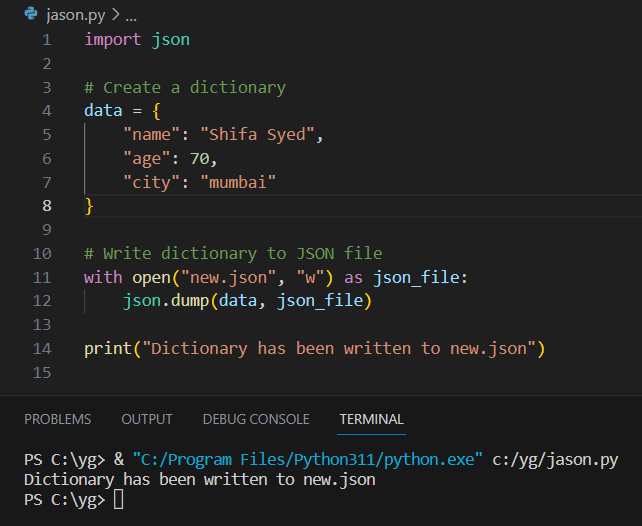
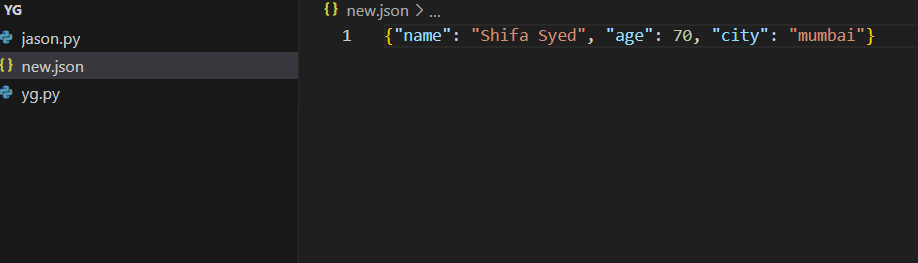
we create a dictionary named data with three key-value pairs: "name", "age", and "city". We then use the json.dump() function to write the dictionary to a JSON file named "new.json". The file is opened in write mode ("w") using a context manager (with open()) to ensure it is closed properly after writing.
Read a json file services.json kept in this folder and print the service names of every cloud service provider.
output

aws : ec2
azure : VM
gcp : compute engine
services.json file content

{
    "services": {
      "debug": "on",
      "aws": {
        "name": "EC2",
        "type": "pay per hour",
        "instances": 500,
        "count": 500
      },
      "azure": {
        "name": "VM",
        "type": "pay per hour",
        "instances": 500,
        "count": 500
      },
      "gcp": {
        "name": "Compute Engine",
        "type": "pay per hour",
        "instances": 500,
        "count": 500
      }
    }
  }
import json

# Read the JSON file
with open("services.json", "r") as json_file:
    data = json.load(json_file)

# Extract the services dictionary
services = data["services"]

# Print the service names for each cloud service provider
for provider, service_data in services.items():
    if isinstance(service_data, dict):
        service_name = service_data["name"]
        print(provider, ":", service_name.lower())
output:
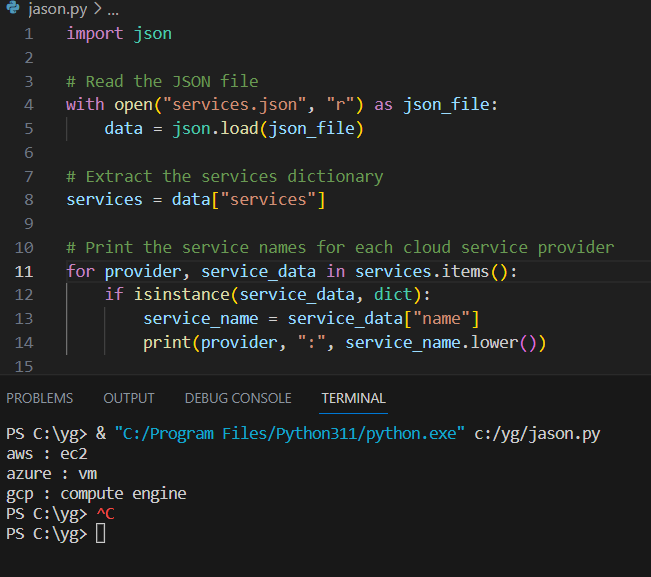
Code explanation:
The
servicesdictionary is extracted from the loaded JSON data, which holds information about various cloud service providers.To avoid potential errors, we use
isinstance()to check ifservice_datais a dictionary. This check is necessary because the JSON data includes a "debug" key that holds a string value. We want to skip it to prevent issues when accessing the "name" key in the subsequent line.If
service_datais indeed a dictionary, we retrieve the service name by accessing the value associated with the "name" key and assign it to theservice_namevariable.Finally, we print the provider and service name, ensuring the service name is displayed in lowercase using the
lower()method.
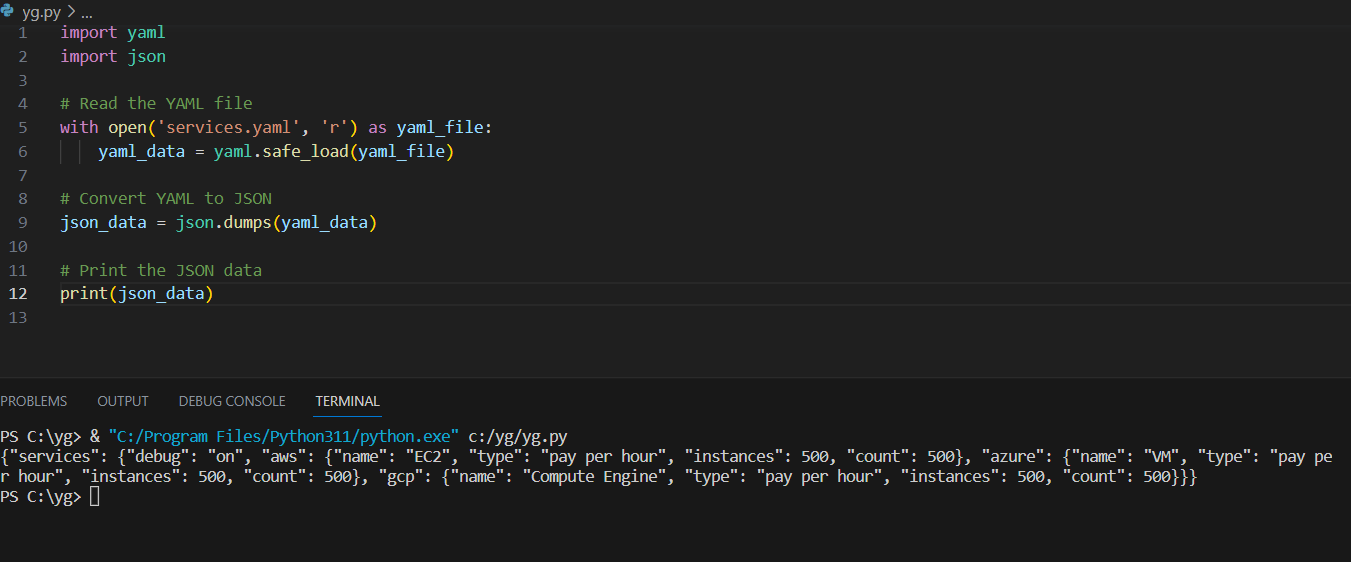
Read YAML file using python, file services.yaml and read the contents to convert yaml to json
services.yaml content
---
services:
  debug: 'on'
  aws:
    name: EC2
    type: pay per hour
    instances: 500
    count: 500
  azure:
    name: VM
    type: pay per hour
    instances: 500
    count: 500
  gcp:
    name: Compute Engine
    type: pay per hour
    instances: 500
    count: 500
import yaml
import json

# Read the YAML file
with open('services.yaml', 'r') as yaml_file:
    yaml_data = yaml.safe_load(yaml_file)

# Convert YAML to JSON
json_data = json.dumps(yaml_data)

# Print the JSON data
print(json_data)
output:
\=============================================================
Devops#devops,#90daysofDevOps #Day15
linkedin.com/in/shifa-syed-49014b229
Thank you for reading!! I hope you find this article helpful!!
if any queries or any corrections to be done to this blog please let me know.
Happy Learning!!


