Python Data Types and Data Structures for DevOps

Data Types
Data types are the classification or categorization of data items. It represents the kind of value that tells what operations can be performed on a particular data.
Since everything is an object in Python programming, data types are actually classes and variables are instance (object) of these classes.
Python has the following data types built-in by default: Numeric(Integer, complex, float), Sequential(string,lists, tuples), Boolean, Set, Dictionaries, etc
To check what is the data type of the variable used, we can simply write: your_variable=100 type(your_variable)
To learn more about data types please do refer My previous blog
https://shifa-syed.hashnode.dev/basics-of-python
Data Structures
Data Structures are a way of organizing data so that it can be accessed more efficiently depending upon the situation. Data Structures are fundamentals of any programming language around which a program is built. Python helps to learn the fundamental of these data structures in a simpler way as compared to other programming languages.
Lists Python Lists are just like the arrays, declared in other languages which is an ordered collection of data. It is very flexible as the items in a list do not need to be of the same type
Tuple Python Tuple is a collection of Python objects much like a list but Tuples are immutable in nature i.e. the elements in the tuple cannot be added or removed once created. Just like a List, a Tuple can also contain elements of various types.
Dictionary Python dictionary is like hash tables in any other language with the time complexity of O(1). It is an unordered collection of data values, used to store data values like a map, which, unlike other Data Types that hold only a single value as an element, Dictionary holds the key:value pair. Key-value is provided in the dictionary to make it more optimized
note: O(1): Constant time complexity. The algorithm takes a constant amount of time to complete, regardless of the input size.
Give the Difference between List, Tuple and set. Do Handson and put screenshots as per your understanding.
| List | Tuples | Set |
| Ordered collection of items | Ordered collection of items | unordered collection of unique elements. |
| Enclosed in square brackets ([]). | Enclosed in parentheses (()). | Enclosed in curly braces ({}) or created using the set() function |
| Mutable: Elements can be added, modified, or removed after creation. | Immutable: Elements cannot be modified after creation. | Mutable: Elements can be added or removed after creation. |
| Allows duplicate elements. | Allows duplicate elements. | Does not allow duplicate elements (automatically eliminates duplicates). |
| Used when you need a collection that can be modified. | Used when you have a collection that should not be modified, such as a collection of constants or fixed values. | Used when you need to store a collection of unique elements or perform set operations efficiently. |
| Supports indexing and slicing. | Supports indexing and slicing. | Does not support indexing or slicing.Supports mathematical set operations like union, intersection, and difference. |
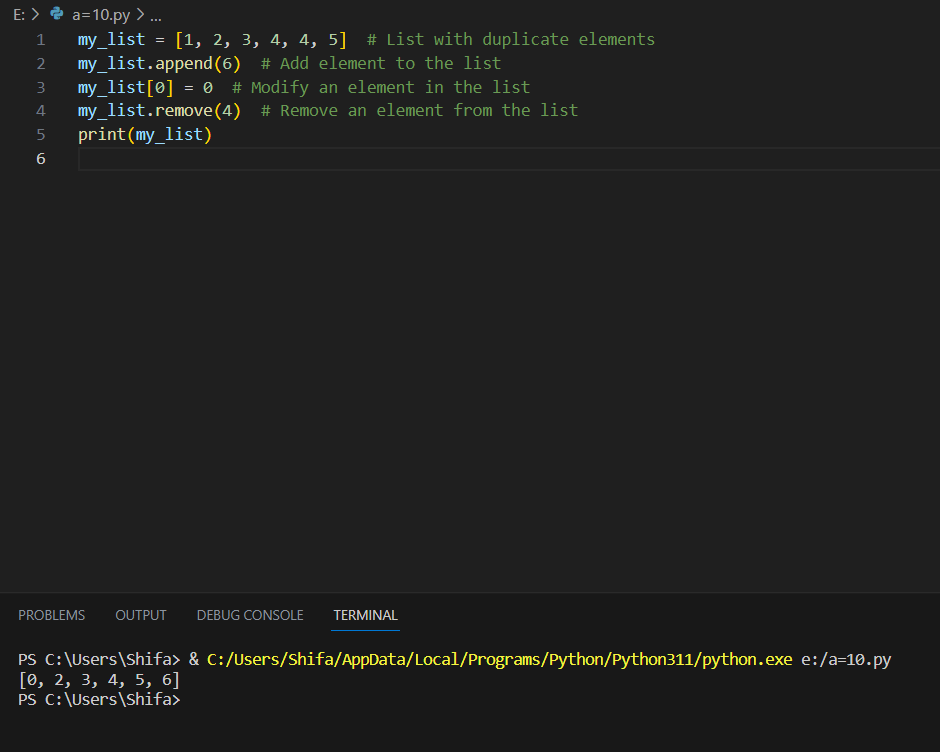
List
my_list = [1, 2, 3, 4, 4, 5]  # List with duplicate elements
my_list.append(6)  # Add element to the list
my_list[0] = 0  # Modify an element in the list
my_list.remove(4)  # Remove an element from the list
print(my_list)
Tuples
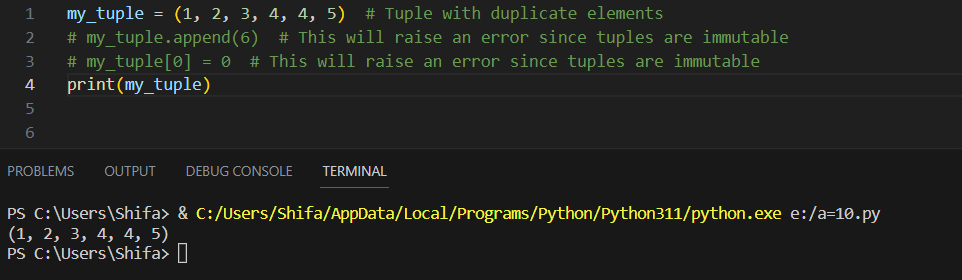
my_tuple = (1, 2, 3, 4, 4, 5)  # Tuple with duplicate elements
# my_tuple.append(6)  # This will raise an error since tuples are immutable
# my_tuple[0] = 0  # This will raise an error since tuples are immutable
print(my_tuple)
Set
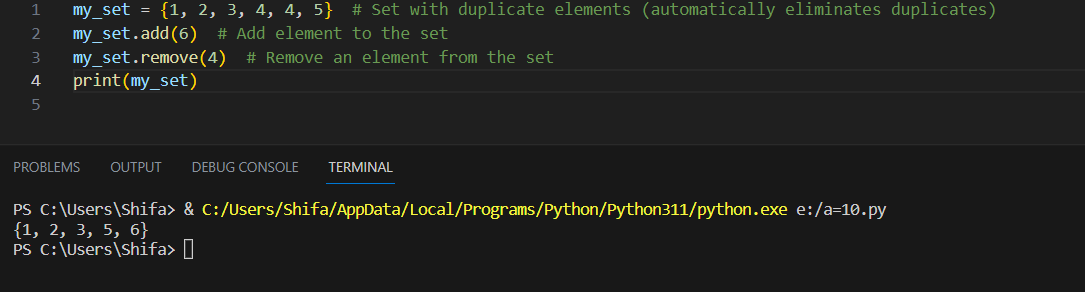
my_set = {1, 2, 3, 4, 4, 5}  # Set with duplicate elements (automatically eliminates duplicates)
my_set.add(6)  # Add element to the set
my_set.remove(4)  # Remove an element from the set
print(my_set)
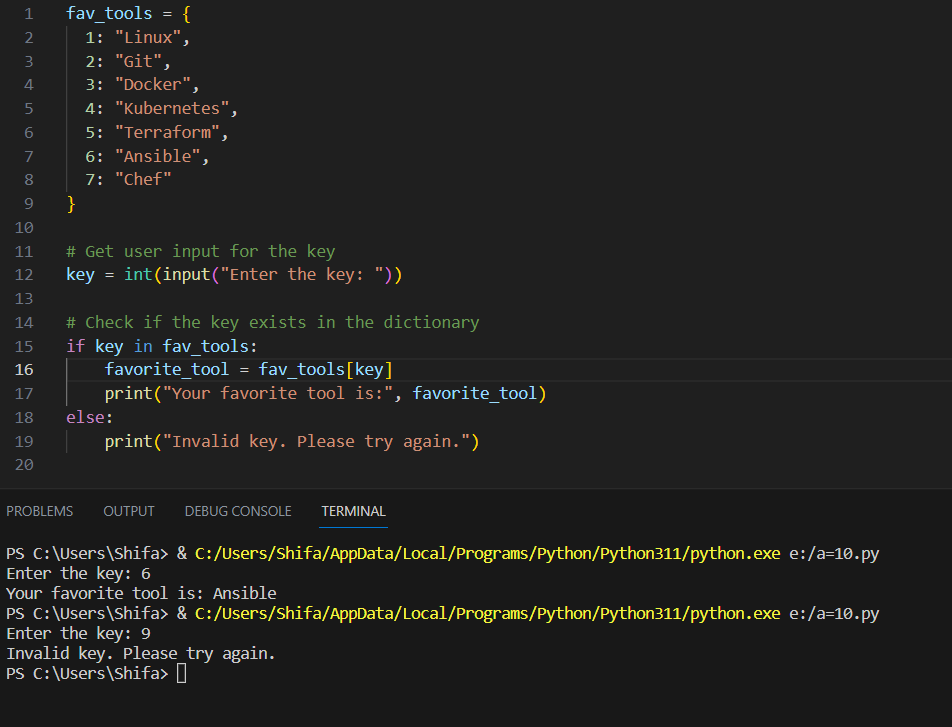
Create below Dictionary and use Dictionary methods to print your favorite tool just by using the keys of the Dictionary
fav_tools =
{
  1:"Linux",
  2:"Git",
  3:"Docker",
  4:"Kubernetes",
  5:"Terraform",
  6:"Ansible",
  7:"Chef"
}
Solution
fav_tools = {
  1: "Linux",
  2: "Git",
  3: "Docker",
  4: "Kubernetes",
  5: "Terraform",
  6: "Ansible",
  7: "Chef"
}

# Get user input for the key
key = int(input("Enter the key: "))

# Check if the key exists in the dictionary
if key in fav_tools:
    favorite_tool = fav_tools[key]
    print("Your favorite tool is:", favorite_tool)
else:
    print("Invalid key. Please try again.")
Create a List of cloud service providers eg
cloud_providers = ["AWS","GCP","Azure"]
Write a program to add Digital Ocean to the list of cloud_providers and sort the list in alphabetical order.
[Hint: Use keys to built in functions for Lists]
cloud_providers = ["AWS", "GCP", "Azure"]

# Add "Digital Ocean" to the list
cloud_providers.append("Digital Ocean")

# Sort the list in alphabetical order
cloud_providers.sort()

print(cloud_providers)
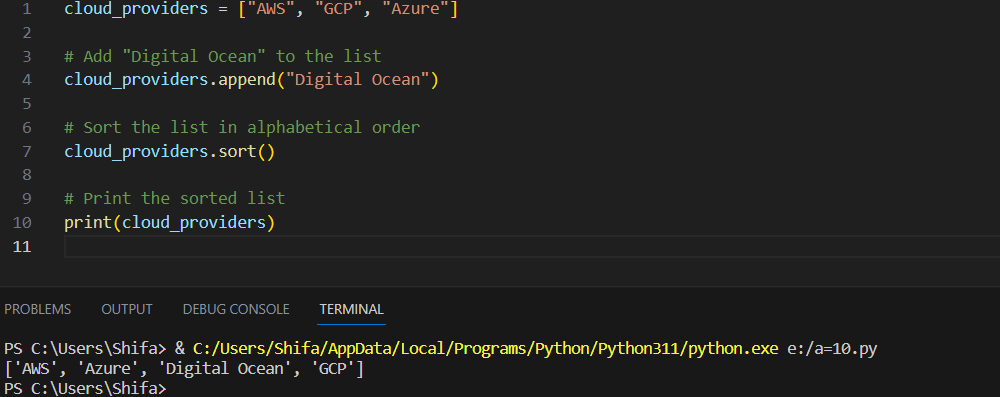
Here's the Breakdown of the built-in methods used in the example:
append(): Theappend()method is used to add an element to the end of a list. In the program, we used it to add "Digital Ocean" to thecloud_providerslist.sort(): Thesort()method is used to sort the elements of a list in ascending order. In this case, we used it to sort thecloud_providerslist alphabetically.
Both append() and sort() are built-in methods specific to lists in Python. They are part of the standard Python language and do not require any external libraries or imports to use.
\=============================================================
Devops#devops,#90daysofDevOps #Day14
linkedin.com/in/shifa-syed-49014b229
Thank you for reading!! I hope you find this article helpful!!
if any queries or any corrections to be done to this blog please let me know.
Happy Learning!!


